




MICROSOFT 365 BUSINESS SOLUTIONS

Microsoft 365 for Business — Work Smarter With AI

Bring business email, collaboration, productivity apps, cloud storage, security and AI-powered capabilities together with Microsoft 365.

Ouriken helps businesses in India select, set up, migrate to and manage Microsoft 365. From Business Basic and Business Standard to Business Premium and enterprise solutions, we help you build the right Microsoft 365 environment for your users, workflows, security requirements and growth.

TRUST / VALUE BAR

Expert Setup

Configure Microsoft 365 around your business requirements.

Migration Support

Move email, files and business data with a structured migration plan.

Security & Administration

Set up users, access, policies and security controls appropriate to your plan.

AI Readiness

Evaluate Microsoft 365 Copilot use cases, licensing and adoption.

WHAT IS MICROSOFT 365?

Microsoft 365 for a Connected, Productive Workplace

Microsoft 365 is a cloud-based productivity and collaboration platform that brings business applications, communication, cloud storage, security and AI capabilities together.

It combines familiar applications such as Word, Excel, PowerPoint and Outlook with services including Microsoft Teams, OneDrive, SharePoint, Planner, OneNote, Forms and Loop.

For businesses, Microsoft 365 provides a connected environment for professional email, document creation, meetings, file management, teamwork, administration and AI-assisted productivity.

The exact applications, storage, security features and AI capabilities available depend on the Microsoft 365 subscription and configuration.

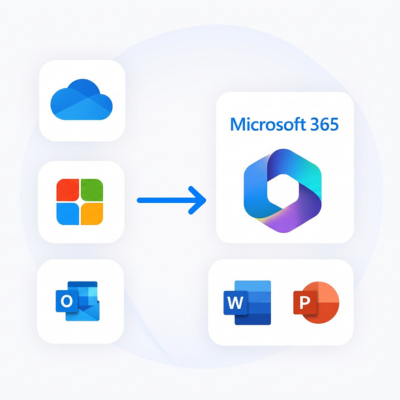
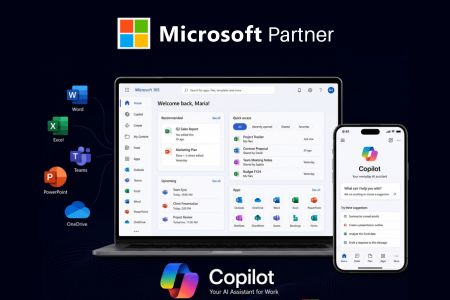
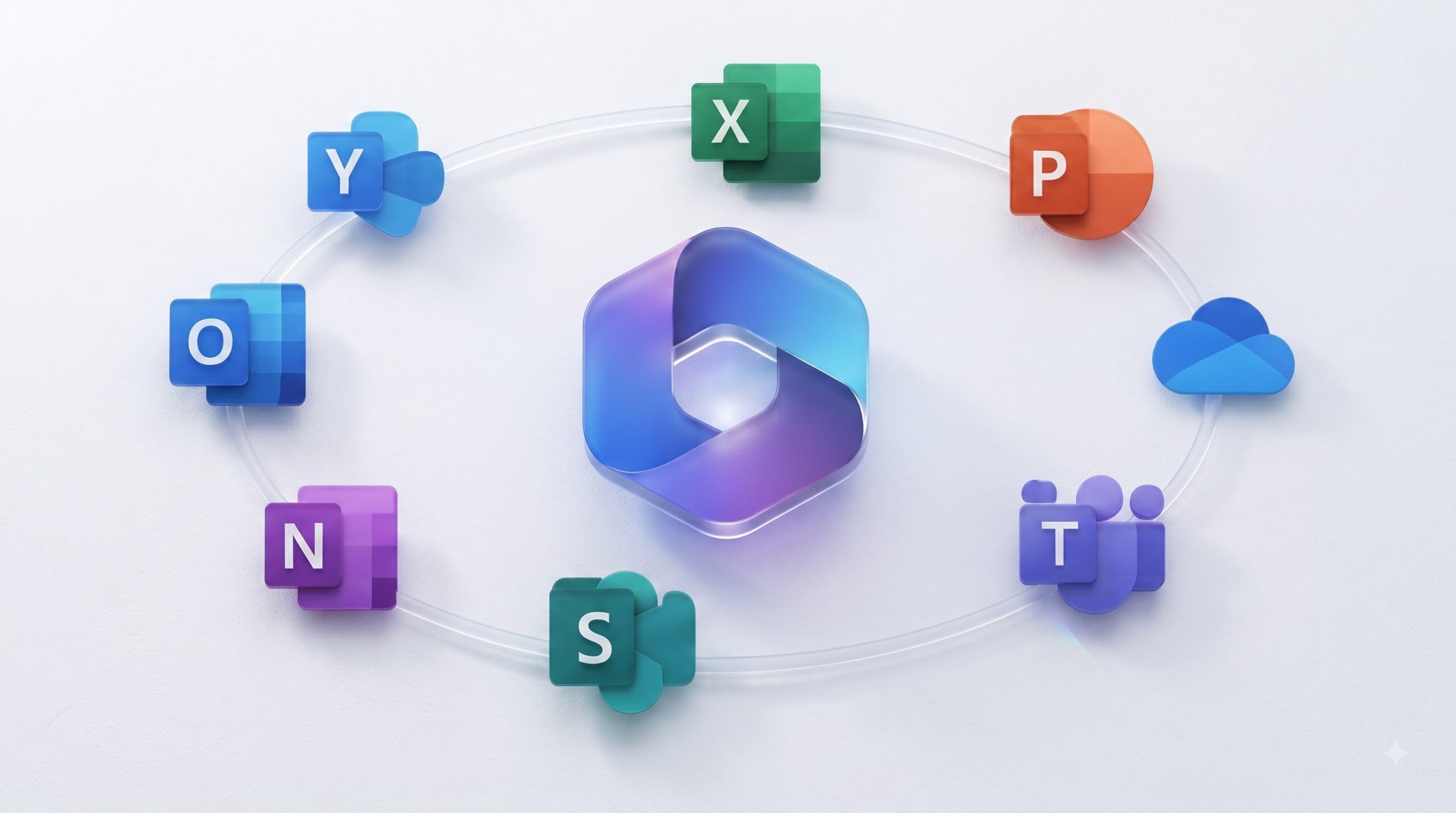
Visual: Microsoft 365 ecosystem graphic showing Outlook, Teams, Word, Excel, PowerPoint, OneDrive, SharePoint and Copilot.

WHY MICROSOFT 365?

Everything Your Business Needs to Work Better

Professional Business Email
Use Outlook and Exchange Online for business communication, calendars and contacts.
Connected Collaboration
Bring teams together through Microsoft Teams for chat, meetings, calls and collaboration.
Office Productivity
Create, edit and collaborate on documents, spreadsheets and presentations.
Cloud Storage
Store, access and share business files through OneDrive and SharePoint.
AI-Assisted Productivity
Use eligible Microsoft 365 Copilot experiences to assist with everyday work.
Scalable Business Plans
Choose a Microsoft 365 subscription based on your applications, users, security requirements and business needs.

MICROSOFT 365 COPILOT & AI

Microsoft 365 Copilot — AI for Everyday Business Work

Microsoft 365 Copilot brings AI assistance into the Microsoft 365 environment. Depending on the user’s license and supported application, it can assist with documents, spreadsheets, presentations, email, meetings, files, search and other business tasks.

Copilot capabilities can vary based on the subscription, tenant configuration, region and supported Microsoft 365 experience.

Copilot Chat

Copilot Chat is an AI chat experience available to eligible Microsoft 365 work and school users. The available capabilities can vary depending on the account, subscription, tenant configuration, region and supported Microsoft services. Broader work-data reasoning and additional Copilot capabilities may require a Microsoft 365 Copilot license.

AI Agents & Agentic Workflows

Microsoft is expanding Microsoft 365 with agentic AI capabilities designed to support more complex, multi-step work. Microsoft 365 Copilot Cowork is designed to support tasks across areas such as email, meetings, documents, presentations, Teams, OneDrive and SharePoint.

Licensing note: Do not present the full Microsoft 365 Copilot experience as automatically included with every Microsoft 365 subscription. Confirm the customer’s subscription, tenant, region and required Copilot license before purchase.

Copilot Across Microsoft 365

APP
PRACTICAL USE
Word
Draft, rewrite, summarize and refine documents.
Excel
Explore information, identify patterns and work with data.
PowerPoint
Create, organize and refine presentation content.
Outlook
Assist with email drafting, summaries and supported communication workflows.
Teams
Help users catch up on meetings, chats and conversations and find relevant information.
OneDrive
Help users find, summarize and work with supported files.
Microsoft 365 Copilot App
Access applications, files, search, creation tools and Copilot experiences through one central experience.

MICROSOFT 365 APPS

One Microsoft Ecosystem. Multiple Ways to Work.

Microsoft Teams

Chat, meetings, calling and collaboration for connected teams.

Microsoft Outlook

Professional business email,calendars, contacts and communication.

Microsoft Word

Create, edit and collaborate on professional documents.

Microsoft Excel

Analyze data, build calculations, create reports and collaborate.

Microsoft PowerPoint

Create presentations and collaborate on business content.

OneDrive

Store, synchronize, share and collaborate on business files.

SharePoint

Manage team sites, organizational content, document libraries and shared information.

Planner

Organize tasks, projects and team work.

OneNote

Capture notes, ideas, meeting information and reference material.

Microsoft Forms

Create surveys, questionnaires, quizzes and business forms.

Microsoft Loop

Collaborate using flexible components and shared workspaces.

Clipchamp

Create and edit videos for business communication and content workflows.

MICROSOFT 365 PLANS & PRICING

Choose the Right Microsoft 365 Plan for Your Business

The right Microsoft 365 plan depends on the applications your employees need, whether desktop Office applications are required, storage requirements, security needs and the level of AI assistance required.

Business Basic

145
Monthly
  • Web and mobile Office apps
  • Outlook
  • Teams
  • Exchange Online
  • OneDrive and SharePoint
  • Businesses that need email

Business Standard

770
Monthly
  • Everything in Basic plus desktop Word
  • Excel
  • PowerPoint and Outlook
  • Businesses that need full desktop Office applications

Business Premium

1,830
Monthly
  • Productivity capabilities plus stronger security
  • Identity
  • Ddevice and information-protection capabilities
  • Businesses with greater security and device-management needs
Most Popular

Enterprise

Contact Us for Pricing
  • Enterprise productivity
  • Security
  • Compliance
  • Governance and broader licensing options

Reference pricing from the supplied content. Verify Microsoft’s current India pricing and Ouriken’s actual CSP/reseller quotation before publication. Clearly mention billing period, GST treatment, Teams inclusion and promotional conditions. Copilot licensing should be displayed separately where applicable

Which Microsoft 365 Plan Is Right for You?

Business Basic: Choose Business Basic when your priority is business email, Teams, cloud storage and web/mobile productivity.

Business Standard: Choose Business Standard when your employees need desktop Office applications along with cloud services.

Business Premium: Choose Business Premium when stronger security and device management are important.

Enterprise: Consider Enterprise plans when your organization requires advanced governance, compliance, security or large-scale licensing.

AI-Focused Businesses: Evaluate Microsoft 365 Copilot licensing alongside your underlying Microsoft 365 subscription.

MICROSOFT 365 SECURITY

Protect Your Business, Users, Devices & Data

Microsoft 365 provides security capabilities across identity, email, devices, applications and data. The available security controls depend on the selected license. Business Premium provides stronger security and device-management capabilities, while Enterprise plans offer broader security, compliance and governance options.

Identity & access management

Multi-factor authentication

Access policies

Endpoint and device management on applicable plans

Protection against cyberthreats

Information protection and data controls

Email and collaboration security

Compliance and governance capabilities on applicable Enterprise plans

OURIKEN MICROSOFT 365 SERVICES

More Than Microsoft 365 Licensing

Microsoft 365 licensing is only the starting point. Ouriken helps businesses select appropriate plans, configure Microsoft 365, migrate existing data, establish administration and security practices, prepare teams for Copilot and provide ongoing support.

Microsoft 365 Setup

Configure tenants, domains, DNS, users, groups, licenses and core Microsoft 365 services.

Microsoft 365 Migration

Plan and execute migrations from Google Workspace, legacy email platforms and other supported environments.

Microsoft 365 Copilot

Assess use cases, licensing, readiness, permissions, rollout and user adoption.

Microsoft Teams

Configure Teams, meetings, channels, collaboration and governance settings.

OneDrive & SharePoint

Plan storage, permissions, content structures and file migration.

Microsoft 365 Security

Configure identity, access, device and information-protection controls appropriate to the selected license.

Microsoft 365 Administration

Manage users, licenses, policies, troubleshooting and ongoing administrative requirements.

Training & Support

Help employees and administrators adopt Microsoft 365 and resolve operational issues.

WHY CHOOSE OURIKEN?

A Business-Focused Approach to Microsoft 365

Choosing Microsoft 365 is about more than purchasing licenses.
Your business needs the right configuration, migration strategy, security approach and user adoption plan.

Plan

Identify the right Microsoft 365 plans and licensing requirements.

Configure

Set up your tenant, users, domains and core services.

Migrate

Move your email, files and business data from supported platforms.

Secure

Configure appropriate identity, access and security controls.

Adopt

Help employees understand and use Microsoft 365 effectively.

Support

Provide continued assistance with administration, troubleshooting and optimization.

WHO WE SERVE

Microsoft 365 Solutions for Different Business Needs
  • Generate_image_2K_202608140001.jpeg
    Small and medium-sized businesses
  • Generate_an_image_2K_202608140004-1.jpeg
    Growing companies
  • generate_an_image_like_this_202608140001.jpeg
    Corporate teams
  • Generate_an_image_2K_202608140004.jpeg
    Professional services firms
  • generate_an_image_2K_202608132328.jpeg
    Remote and hybrid teams
  • generate_an_image_exactly_like_202608132344.jpeg
    Organizations migrating from Google Workspace
  • generate_an_image_exactly_like_202608140004.jpeg
    Organizations moving from legacy email systems
  • generate_an_image_2K_202608132346.jpeg
    AI-focused organizations evaluating Microsoft 365 Copilot

IMPLEMENTATION PROCESS

Our Microsoft 365 Implementation Process
Share Your Requirements
Tell us about your organization, current platform, users and business objectives.
Assess & Recommend
We evaluate your requirements and recommend an appropriate Microsoft 365 plan and service approach.
Plan Your Environment
We plan domains, users, licenses, data, security and migration requirements.
Configure Microsoft 365
We configure the tenant, users, email, Teams, OneDrive, SharePoint and applicable policies.
Migrate Your Data
We plan and execute the agreed migration of email, calendars, contacts and files.
Secure & Validate
We review access, security settings, devices and data controls appropriate to the selected license.
Train & Support
We help administrators and employees adopt the new environment and provide ongoing support.
Share Your Requirements
Tell us about your organization, current platform, users and business objectives.
Assess & Recommend
We evaluate your requirements and recommend an appropriate Microsoft 365 plan and service approach.
Plan Your Environment
We plan domains, users, licenses, data, security and migration requirements.
Configure Microsoft 365
We configure the tenant, users, email, Teams, OneDrive, SharePoint and applicable policies.
Migrate Your Data
We plan and execute the agreed migration of email, calendars, contacts and files.
Secure & Validate
We review access, security settings, devices and data controls appropriate to the selected license.
Train & Support
We help administrators and employees adopt the new environment and provide ongoing support.

USE CASES

What Can Microsoft 365 Help Your Business Do?

Remote & Hybrid Collaboration

Enable communication, meetings, file access and collaboration across locations.

Business Communication

Combine Outlook email, calendars and Teams communication in one connected environment

Document Collaboration

Create, edit, share and manage business documents through Microsoft 365 applications, OneDrive and SharePoint.

Team Productivity

Coordinate tasks, meetings, files and shared work across departments.

AI-Assisted Productivity

Use eligible Copilot experiences to support everyday tasks and knowledge work.

Secure Business Operations

Apply identity, access, device and information controls based on your Microsoft 365 plan.

MIGRATION & INTEGRATION

Move to Microsoft 365 With Confidence

Switching platforms should not mean disrupting your business. Ouriken helps
organizations plan and execute Microsoft 365 migrations from Google
Workspace, legacy email systems and other supported environments.

Our Migration Approach

Assess

Understand your current environment, users, applications and data.

Plan

Define the migration scope, timelines, dependencies and user requirements.

Map

Map users, mailboxes, files, permissions and relevant business data.

Configure

Prepare Microsoft 365, domains, users and destination services.

Migrate

Transfer the agreed email, files, calendars, contacts and other supported data.

Validate

Check migrated data, permissions and critical workflows.

Go Live

Complete the transition and provide post-migration support.

MICROSOFT 365 FOR THE MODERN WORKPLACE

Productivity, Security & AI in One Connected Environment

Microsoft 365 becomes more valuable when your licensing decisions match your actual business requirements. Before choosing a plan, consider the applications, storage, security, collaboration, AI and scale your organization needs.

Productivity

Web/mobile versus desktop Office applications

Storage

OneDrive and SharePoint requirements

Security

Identity, access, device and information protection

Collaboration

Teams, SharePoint and shared-work requirements

AI

Copilot Chat versus broader Microsoft 365 Copilot licensing

Scale

Business plans versus Enterprise requirements

FAQ

Frequently Asked Questions About Microsoft 365
What is Microsoft 365?

Microsoft 365 is Microsoft’s cloud productivity platform combining Office applications, business email, Teams, cloud storage, collaboration, security and AI capabilities. The exact services and features depend on the selected subscription.

What is Microsoft 365 Copilot?

Microsoft 365 Copilot is Microsoft’s AI-powered productivity experience for supported Microsoft 365 environments. Depending on licensing and availability, it can assist with documents, spreadsheets, presentations, email, meetings, files, search and other work.

Is Copilot included with Microsoft 365?

Copilot availability depends on the Microsoft 365 license and supported experience. Copilot Chat may be available to eligible work or school users, while the broader Microsoft 365 Copilot experience provides additional capabilities. Confirm the applicable license before purchase.

How much does Microsoft 365 cost in India?

Reference annual-billing prices in the supplied content are approximately ₹145 per user/month for Business Basic, ₹770 for Business Standard and ₹1,830 for Business Premium. Final pricing should be confirmed because taxes, promotions, billing terms and reseller pricing can change.

How much OneDrive storage is included?

Microsoft 365 Business Basic, Business Standard and Business Premium provide 1 TB of OneDrive cloud storage per user, subject to Microsoft’s applicable terms and limits.

Does Business Basic include desktop Word, Excel and PowerPoint?

No. Business Basic provides web and mobile versions of the core Office applications. Business Standard adds desktop versions of Word, Excel, PowerPoint and Outlook.

What is the difference between Business Standard and Business Premium?

Business Standard adds desktop Office applications to the cloud services, while Business Premium adds stronger security and device-management capabilities on top of the productivity features.

How many users can Microsoft 365 Business plans support?

Microsoft 365 Business Basic, Standard and Premium are designed for organizations with up to 300 users. Enterprise plans are intended for larger or more complex requirements.

Can I migrate from Google Workspace to Microsoft 365?

Yes. A migration can include mailboxes, calendars, contacts and files, depending on the source environment and migration method. Ouriken can help plan the migration, configure Microsoft 365 and manage the transition.

Can Ouriken set up Microsoft 365?

Yes. Ouriken can assist with tenant setup, domain and DNS configuration, users, licenses, Exchange Online, Teams, OneDrive, SharePoint, security settings and administration.

Is Microsoft 365 secure?

Microsoft 365 provides security capabilities across identity, email, devices, applications and data. More advanced security and compliance capabilities are available with higher-tier Business and Enterprise plans.

What is the Microsoft 365 Copilot app?

The Microsoft 365 Copilot app is Microsoft’s central experience for accessing applications, files, search, creation tools and Copilot capabilities. Microsoft uses m365.cloud.microsoft as its web address.

What is Copilot Chat?

Copilot Chat is an AI chat experience for supported Microsoft 365 work and school environments. Availability and capabilities depend on account, license, tenant, region and supported Microsoft experiences.

What is Microsoft 365 Copilot Cowork?

Cowork is an agentic capability in Microsoft 365 Copilot designed to support multi-step work across areas such as email, meetings, documents, presentations, Teams, OneDrive and SharePoint. It requires a Microsoft 365 Copilot license.

Can Microsoft 365 support remote work?

Yes. Teams supports meetings, chat and collaboration, while OneDrive and SharePoint support cloud-based file access and collaboration. Microsoft 365 applications also support work across compatible desktop and mobile environments.

Ready to Upgrade Your Business With Microsoft 365?

Choose the right plan, migrate your existing data, configure your Microsoft 365 environment and introduce AI with a structured implementation approach.

Tell Us About Your Microsoft 365 Requirement

Tell us about your business, current platform and Microsoft 365 requirements. Our team will help you evaluate the appropriate licensing and implementation approach.

Please enable JavaScript in your browser to complete this form.
Name